|
Latest topics on the forum: |
Examples
Additional Xtreme3D examples created by the community. They implement many popular effects, game mechanics, and rendering techniques.
Fighting
Author: FireRun
An example of a fighting game with character animation. Uses Xtreme3D 3.7.
Planet Gravity
Author: Gecko
An example of movement mechanics on a non-spherical planet, similar to Mario Galaxy. Uses Xtreme3D 3.8 + ODE.
GUI
Author: FireRun
An example of creating a user interface using HUD objects. Uses Xtreme3D 3.7.
Third Person Camera
Author: FireRun
An example of a third-person camera with keyboard and mouse controls, similar to many RPGs. Uses Xtreme3D 3.7.
Interactive UI
Author: Gecko
An example of an interactive in-game interface, similar to Doom 3—i.e., a screen whose cursor can be controlled simply by rotating the camera. It's implemented by raycasting from the camera to the screen and translating the ray-intersection coordinates into local normalized screen space. This example doesn't yet account for screen rotation. The interface itself is rendered using FBOs and standard HUD objects, so you can draw anything on the screen, even 3D models. Uses Xtreme3D 3.6.
ODE Terrain
Author: Gecko
An example of using terrain with the ODE physics engine. Starting with Xtreme3D 3.0, ODE provides a dedicated body type for terrains. Terrain collisions with all ODE geometry types are supported, with the exception of dynamic trimeshes. Please note that ODE does not support terrain with an infinitely repeating heightmap (BmpHDSSetInfiniteWarp). Uses Xtreme3D 3.6.
Superdemo 2
Author: Gecko
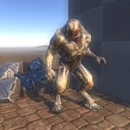
This tech demo showcases a wide variety of rendering techniques and post-processing effects: CSM-based shadows, PBR, single-pass SSAO, FXAA, motion blur, lens distortion, film grain, and bloom. The resulting image is the best you can currently squeeze from Xtreme3D. Uses Xtreme3D 3.6.
Raindrop circles
Author: Gecko
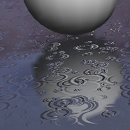
Xtreme3D has a built-in water object that simulates circular waves by offsetting grid vertices, but it's not suitable for all situations. For example, it's difficult to render large bodies of water like a sea. Thanks to shader support, Xtreme3D 3.x offers alternative water rendering methods. For example, you can simulate waves and ripples by offsetting two normal maps, as demonstrated in the sea-water example in the SDK. However, this method only recreates uniform ripples, not the ripples created by raindrops in built-in water. Therefore, we've prepared another water shader based on Sébastien Lagarde's technique. It generates animated raindrop circles based on a special texture, combining multiple layers with different scales and time shifts. Unlike built-in water, you can't manually create individual drops, but you can adjust the rain intensity. The result is very high-quality and fast, perfect for covering large areas with puddles. Uses Xtreme3D 3.4.
Landscape with dynamic lighting and splatting + water
Author: Gecko
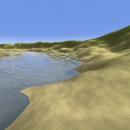
The standard terrain texturing technique in Xtreme3D 2.0 was to overlay a primary color texture with a repeating detail map. However, this method doesn't allow for varying levels of detail in different parts of the landscape. For example, sand in some areas and grass in others. In Xtreme3D 3.x, this problem is solved using a GLSL shader that implements so-called splatting, multitexturing by mask: that is, it uses color interpolation from a black-and-white image with smooth transitions. The textures themselves can be of any type, and they can be tiled by multiplying texture coordinates.
For simplicity, this example uses only two textures and a heightmap as a mask, but the shader can easily be expanded by adding more textures. Since only one image channel is used for the mask, four different masks can be passed through a single RGBA texture. This allows for a beautiful landscape without wasting texture units.
This example also demonstrates dynamic landscape lighting, which is now possible in new versions of Xtreme3D. Since the Terrain object doesn't generate normals, in older Xtreme3D versions, a static lightmap was required. This example shows how to generate a normal map from a height map and use it to calculate dynamic lighting from a directional light source (the sun).
This example also renders animated water with reflections, as well as a skydome with the sun and stars (a Skydome object). This example could be used as a basis for an open-world game. Uses Xtreme3D 3.4.
Fire
Author: Gecko
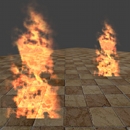
An animated fire shader based on the method by Clockwork Chilli. A similar shader exists for Ultimate3D in the Fire and Water demo, but this one is significantly better. The fire is created using a billboard and just one static RGBA texture (channel B stores the flame mask, and the others contain three different noise types, for color and transparency). The archive contains two shader versions: with and without the heat haze effect. Uses Xtreme3D 3.4.
Post-Processing
Author: Gecko
Older versions of Xtreme3D had rather limited post-processing capabilities, which cannot be said about Xtreme3D 3.x. This set of examples includes 9 post-processing effects:
1. Bloom or Glow. This is the effect of a halo of light around bright, glowing objects.
2. Chromatic Aberration (Lens Distortion). This is an artifact that occurs in the camera lens system. It is often used in modern games to create a cinematic look.
3. Camera motion blur is also a cinematic effect that enhances the sense of presence. If you turn quickly, the image will blur, and the effect becomes more pronounced the lower the frame rate, just like with a real camera.
4. Radial blur. This effect is somewhat similar to the built-in blur in Xtreme3D. It can be used to convey the feeling of fast movement.
5. SSAO (screen space ambient occlusion). This is a simplified version of ambient occlusion, a shadowing effect on objects. SSAO works entirely in screen space, based on depth buffer analysis. The result is quite simplified compared to "true" AO, but quite acceptable for real-time graphics.
6. Depth of field (DOF). This is another optical artifact often used in photography: background objects appear blurry, while foreground objects appear sharp (or vice versa, depending on the focus). This effect is quite "heavy" for real-time use, but it's very beautiful.
7. FXAA. A popular antialiasing method, often used instead of the standard MSAA built into the video driver. FXAA allows for quality antialiasing in any rendering pipeline with minimal performance overhead.
8. God Rays. This is the effect of light from a bright source scattered in the atmosphere, with rays of light beautifully penetrating obstacles.
9. Distortion. An effect similar to textured glass.
All effects are implemented using GLSL shaders and rendering in MemoryViewer or FBO. Uses Xtreme3D 3.4.
3D Mouse
Author: Gecko
Converting screen coordinates to 3D coordinates using the new ViewerScreenToVector function. This is an adaptation of a similar example for Xtreme3D 2.0, which demonstrates how to use the mouse cursor to control object movement in the XZ plane. This example can be used to implement various user interfaces. Uses Xtreme3D 3.4.
Futuristic Racing (Xtreme3D 2.0)
Author: Gecko
A racing engine with a hovering aircraft. Features shooting, a realistic flight model, and keyboard or joystick controls. It utilizes an exclusive resource management system and a trail effect to generate energy flow from the engine.
3D Platformer (Xtreme3D 2.0)
Author: Gecko
A third-person 3D platform game engine. It features its own lightweight, collider-based collision system. Support for movement animations (running, jumping, shooting) with corresponding sound effects, saving and loading settings from an ini file, loading a level model with a lightmap, and much more.
Star Cross Demo (Xtreme3D 2.0)
Author: Gecko
A space shooter engine. The player controls the fighter using a keyboard or joystick, and the program automatically detects whether a gaming device is connected and redirects the controls to it. There are several nice effects, such as motion blur and particles representing flying "space dust." An intelligent soundtrack selection system is included, so you won't hear the same melody twice in a row (which can get very boring). A BGM system is included as an audio player.
Berich Engine (Xtreme3D 2.0)
Author: Anatoly Berbeka
An interesting development using Xtreme3D - a Counter-Strike-style shooter engine with support for first/third-person view, weapon switching, attack and reload animations, character animation, and a level map with full collision checking.
Quake Engine (Xtreme3D 2.0)
Author: DJB Master
An FPS engine similar to Quake. Demonstrates some basic Xtreme3D features: loading models and sprites, mouse-based camera control, an FPS manager for collision checking, a Skydome, and, finally, animated water.
Xtreme3D 2.0 Examples Archive
Author: Gecko
A collection of old examples. The archive includes 26 Xtreme3D 2.0.2.0 examples, created by Gecko in 2008-2009. Many of them can be ported to Xtreme3D 3.x with minimal modifications.
The following examples are included: Car, 3D Mouse, 3D Sound, Animated Texture, SMD Skeleton, Bump Mapping, Get Clicked Object, CSM, Dragonfly Demo, FPS Tech Demo, Glow, Anti-Aliasing, Lightsaber, Polygon Terrain, Octree, Offscreen Rendering, Parallax Mapping, Particles, Pencils Primitive Demo, Raycasting, Terrain 2, Volumetric Spotlight, Water.
ODE Examples for Xtreme3D 2.0
Author: Gecko
Demonstrates the creation of rigid bodies, a hanging chain, and a ragdoll. An ODE manual is included.
First-person game example for Xtreme3D 2.0
Author: Gecko
Demonstration of a first-person camera, weapon binding to the camera, and collision checking with the map using DCE.
Third-person game example for Xtreme3D 2.0
Author: Gecko
Demonstration of a third-person camera, character animation, and collision checking using DCE.
Examples for Third-Person Game Tutorials for Xtreme3D 2.0
Author: Gecko
Demos for lessons from "FPS" magazine (issues 2 and 3). They show how to create a third-person camera and character animation.
Examples of first-person games for Xtreme3D 2.0 from third-party authors
We once found these on the Internet.
Examples for older versions of Xtreme3D
Author: Bami
Bami's Xtreme3D 1.9 examples. Among other things, there's an analog 3D clock.